A client portal where requests become tracked work
Client requests arrive by email, by phone and in chat, and some of them are lost on the way. With the iTrackFlow client portal your clients make their requests in one place, each request lands in the queue of the team that handles it, and the hours spent on it are traceable in your reports.
How the client portal works
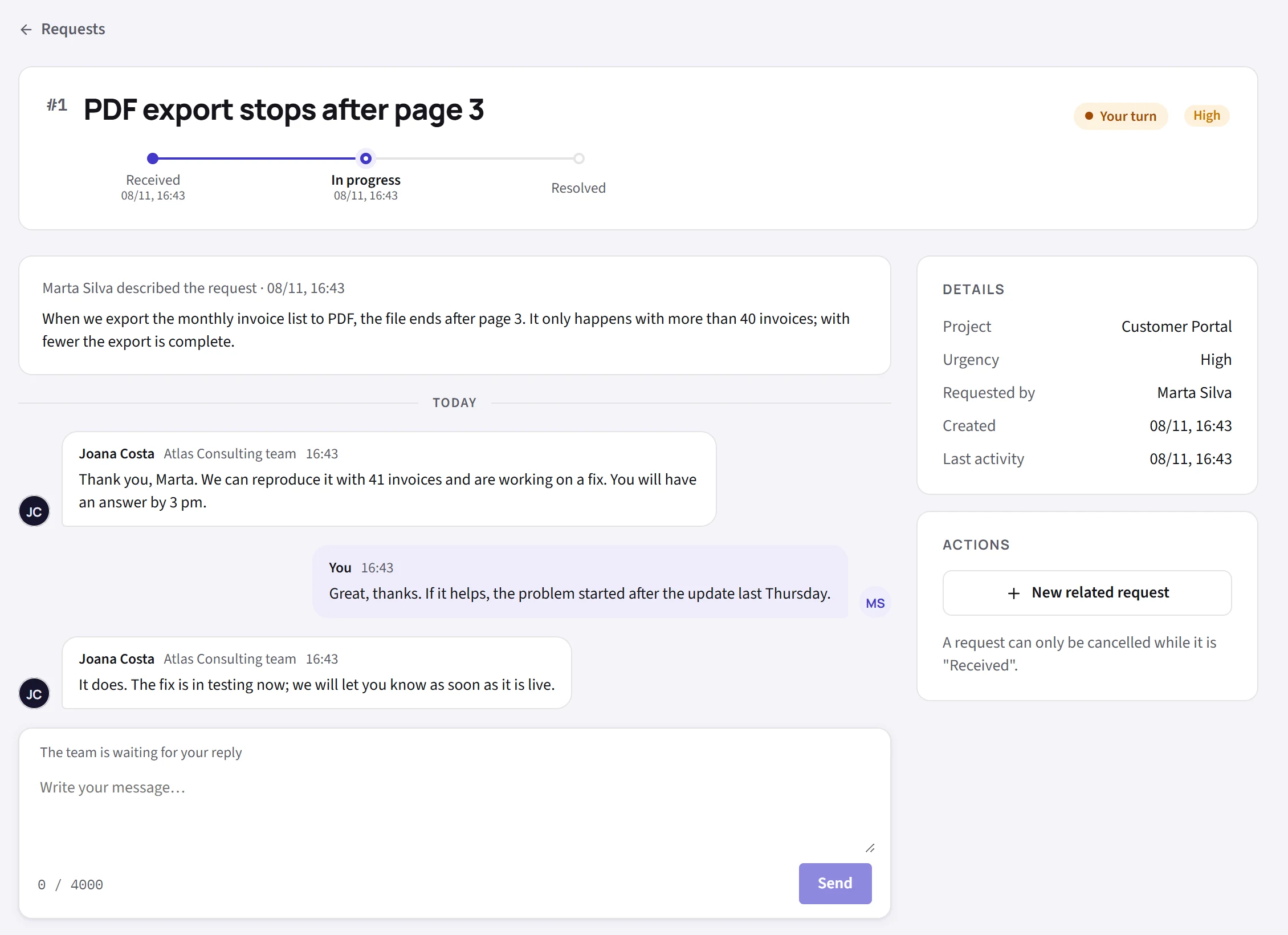
Each workspace has its own portal, with your name and logo, at portal.itrackflow.com followed by your workspace's address. You decide who from each client can use it.
Your clients ask in the portal or by email
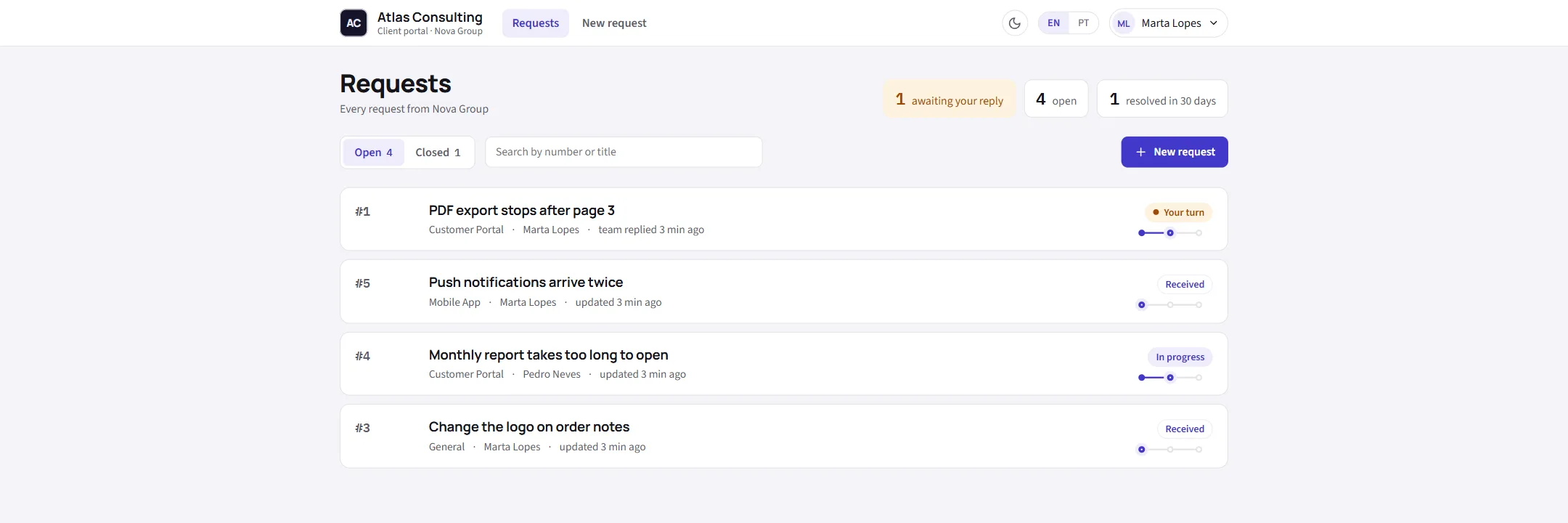
A client opens a request, chooses the project it concerns or makes a general request, and says how urgent it is. Requests can also be sent by email, if you turn it on: each portal user has a personal tag to put in the subject.
- Urgency normal, high or urgent; an urgent request needs a reason
- A list of open and closed requests, with search
- Email confirmation when the request is received
Each request lands in the right queue
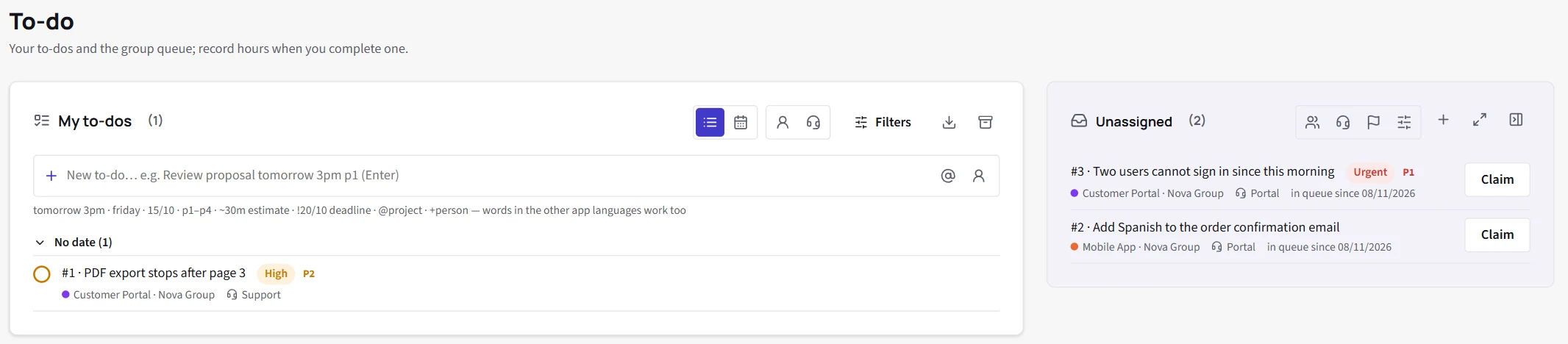
Every project can have a support group, and every client a default group. A new request becomes a to-do in that group's queue, with the client, the request number and its urgency as the priority. Someone claims it and the conversation starts.
- Urgent requests arrive as priority 1, high as priority 2
- The group is told in the app as soon as a request arrives
- Hours logged from the to-do keep "request #12" as their source
One conversation per request
The client and your team write in the same thread. The status moves from received to in progress to resolved, and the client is emailed when the team replies and when the request is resolved or closed.
Your clients decide who asks
Invite contacts per client. A client manager sees every request of their company; a contact sees their own. Portal users sign in separately from your team, and you can require two-factor authentication for them.
Ratings and accountability
When a request is resolved, the client can rate the answer from one to five stars, with a comment. You can also show who resolved it and when. Both can be turned off.
See what your clients see
Owners and admins can open the portal in read-only preview, for every client or for one, before inviting anyone.
Client portal questions
Do my clients pay for the portal?
No. Portal users are part of your plan: 25 on Starter, 50 on Team and 100 on Business, and 10 during the trial. Extras can be added to any paid plan.
Do clients see the hours we spend on their requests?
No. The portal shows requests, their status and the conversation. Hours stay in your reports and, if the client has an hour bank, in the statement you send them.
How do requests by email work?
Turn it on in the workspace settings. Each portal user gets a personal tag to put in the subject of an email to the request address. The email must come from that user's address and pass the sender checks; it then becomes a request with the same confirmation as one made in the portal.
Can a client mark a request as urgent?
Yes. The client chooses normal, high or urgent; an urgent request needs a reason. The to-do arrives as priority 4, 2 or 1, and your team can still change the priority. The client only sees the urgency they gave.
Can a client cancel a request?
Yes, while it is still marked received. Once the team has started on it, the client writes in the conversation instead.
Which languages does the portal speak?
English, Portuguese, Spanish, French, German and Dutch. Each portal user chooses their own, and the emails they receive follow it.
Give your clients one place to ask
The client portal is included in every plan, the 30-day trial too.