Prepaid hour banks and retainers, tracked entry by entry
You sold the client a pack of 120 support hours. Three months later someone asks how many are left, and the answer lives in a spreadsheet that was last updated in March. In iTrackFlow the hour bank draws from the team's time entries as they are logged, with the rules of the contract applied to each one.
How hour banks work
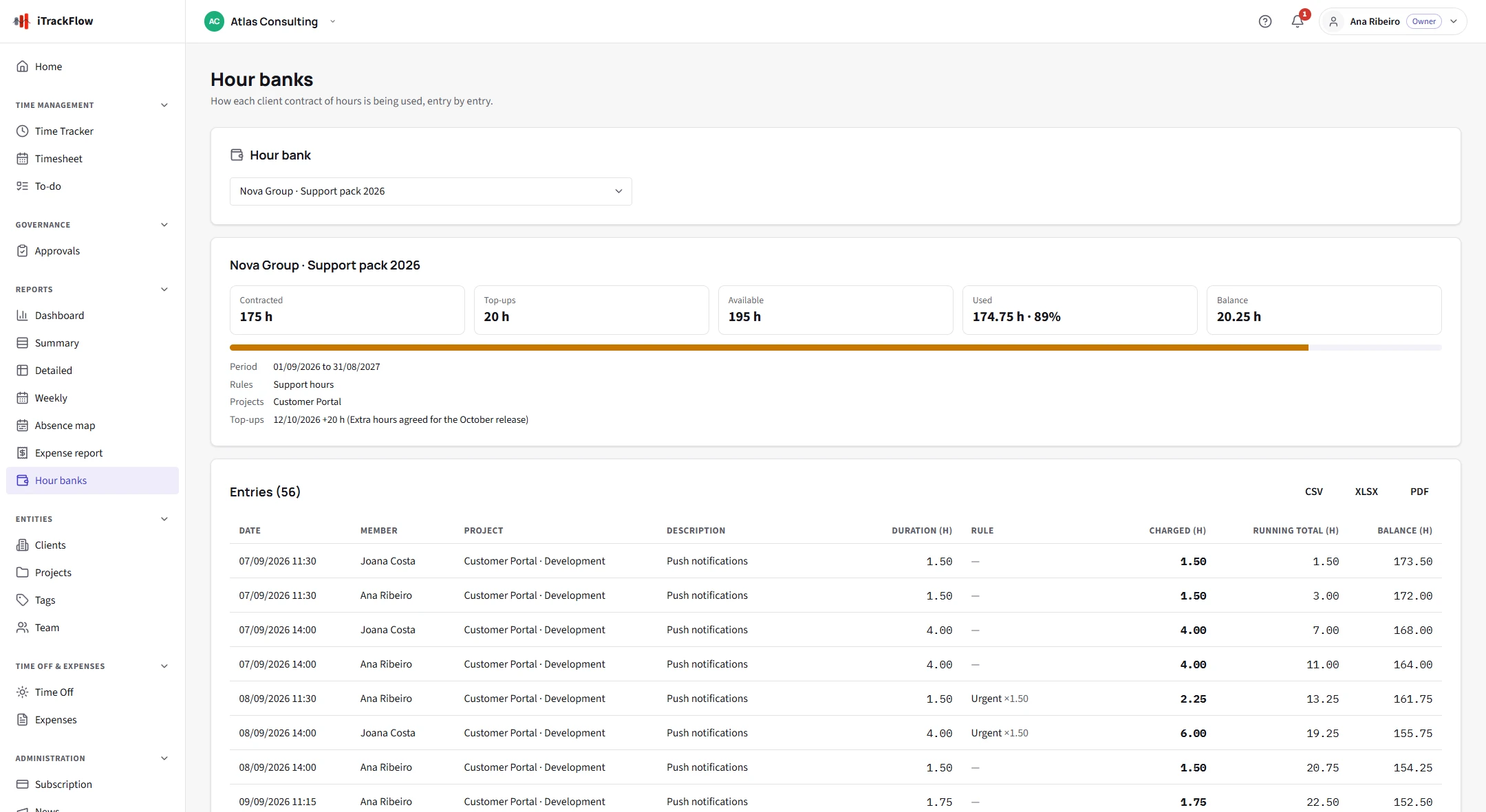
An hour bank is created on the client's page. It needs the hours contracted, the period, the projects it covers and, if the contract asks for it, a set of consumption rules.
Rules that match the contract
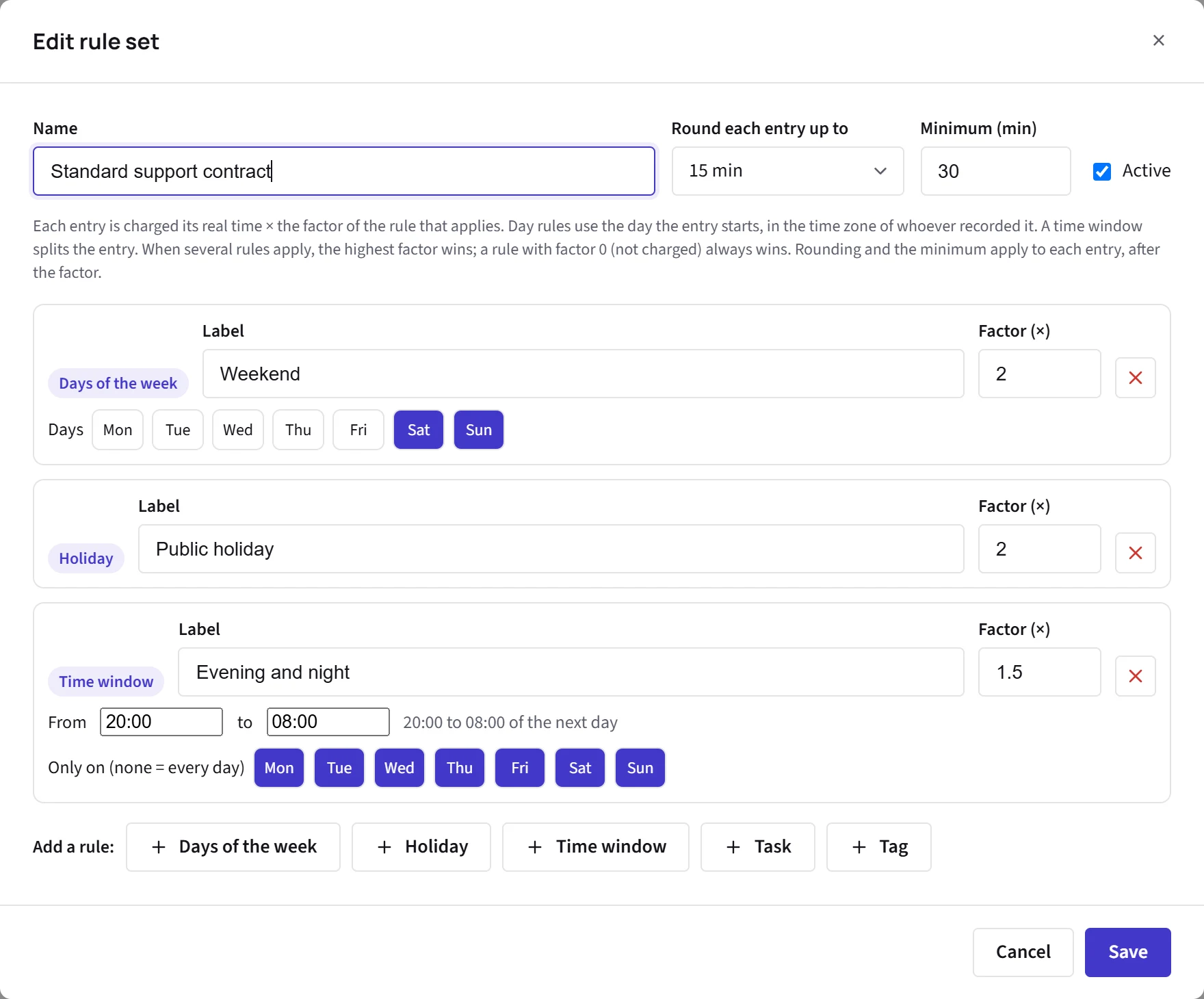
Most support contracts don't charge every hour the same way. A rule set describes how each entry is charged, and the same set can serve several banks.
- Weekdays or weekends: Saturday and Sunday ×2, for example
- Public holidays, from the calendar of the person who logged the hour
- A time window such as 20:00 to 08:00 ×1.5; an entry that crosses it is split
- A task or a tag, including ×0 for work that is never charged
- Rounding up to 5, 6, 10, 15, 30 or 60 minutes, and a minimum per entry
A statement the client can read
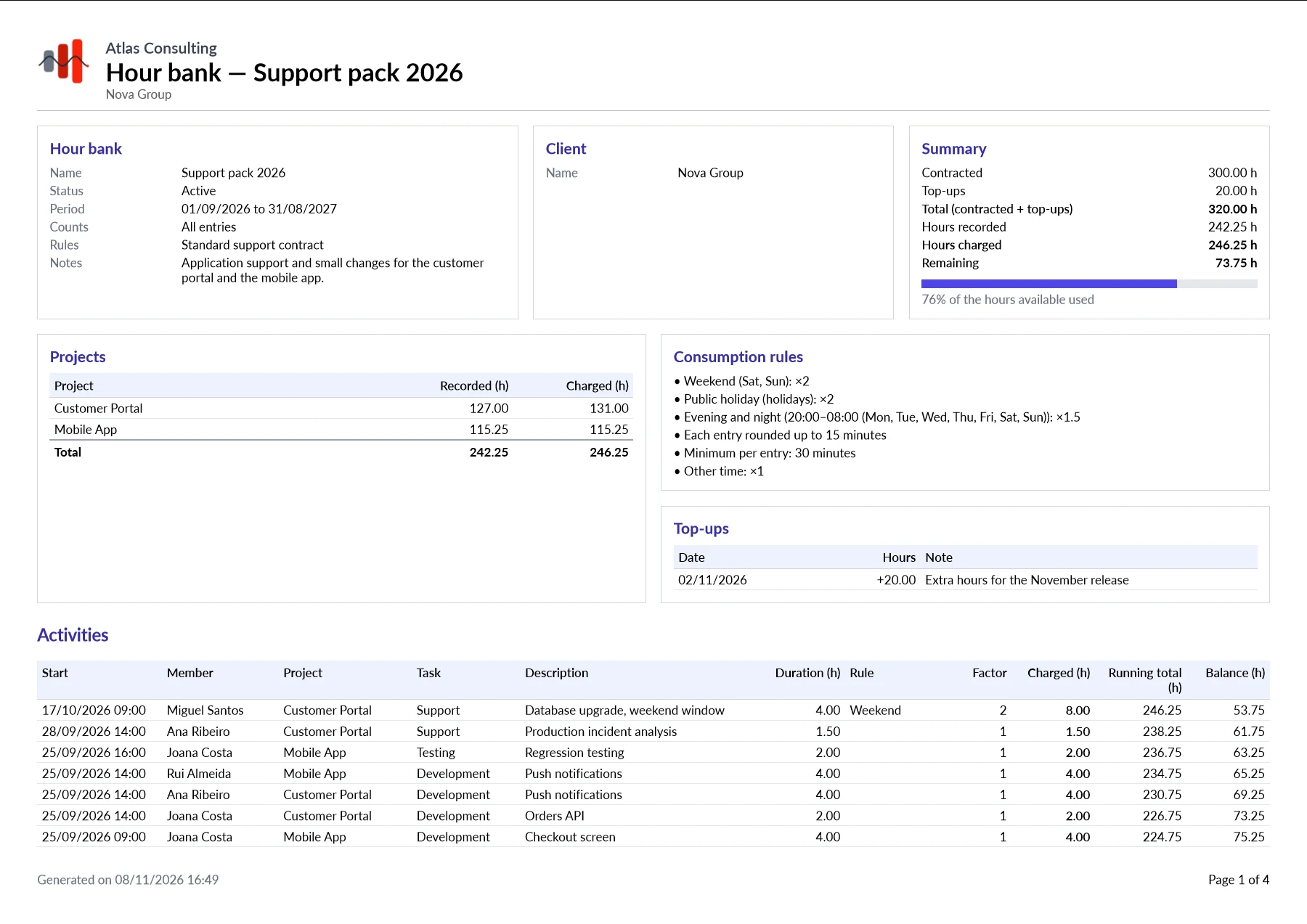
The hour bank report shows the hours used per month and every activity with its duration, the rule that applied, the hours charged, the running total and the balance. Export it to PDF or Excel with your logo, or to CSV.
- Summary of contracted hours, top-ups, hours charged and what remains
- Projects and consumption rules printed in the header
- Choose the columns and their order before exporting
One bank per contract
Each bank has its own hours, start and end dates and projects. The same project can be in two banks of the same client only when their periods don't overlap, so an hour is never counted twice.
Top-ups and overruns
When the client buys more hours, add a top-up with its date and a note. If the hours run out, entries keep counting: the balance goes negative and the extra entries are marked in the statement.
Warned before it runs out
At 80% and again at 100%, Owners, Admins and the project managers who approve one of the bank's projects get a notification in the app and by email.
Closed when the contract ends
Archive a bank at the end of the contract. Entries logged after that date no longer count, and the bank can be reactivated if the contract is renewed.
Hour bank questions
Which entries count towards a bank?
Completed time entries on the bank's projects, inside its period. You can choose to count only billable entries. Absences never count, and a running timer only counts once it is stopped.
What happens to past entries if I change the rules?
The bank is recalculated with the new rules, history included. Before you save, iTrackFlow lists the active banks that use the rule set, so the change is never a surprise.
Can my client see the balance in the client portal?
No. The portal shows requests and conversations, never hours. You send the statement in PDF or Excel when you choose.
Does iTrackFlow invoice the hour bank?
No. iTrackFlow tracks the hours and produces the statement; invoicing the pack stays with your usual tools.
Who can see the hour bank report?
Owners and Admins see every bank. A project manager sees the banks that include a project they approve. Other members don't see the report.
Know where every contracted hour went
Every feature is included in the 30-day trial, with no credit card.